

This InVideo review 2025 takes a close look at how this AI-powered video maker is transforming content creation. As we look ahead to 2025, the world of video making is changing fast — thanks to new AI tech and how people use media. InVideo is a tool that aims to make video creation easier. But is it worth spending money on? In this article, we’ll look at the good and bad sides of using InVideo in 2025. We’ll help you understand what it can do and what it can’t.
New vodcasts and updates to tools like ChatGPT mean we need top-notch video content more than ever. We’ll see how InVideo stacks up in this world. This will help you figure out if it’s the best choice for making videos.
Table of Contents
Key Takeaways
- Understand the benefits and drawbacks of using InVideo in 2025.
- Learn how InVideo compares to other video creation tools.
- Discover the key features and capabilities of InVideo.
- Determine if InVideo is worth the investment for your video content needs.
- Get insights into the future of video content creation and how InVideo fits in.
What is InVideo? A 2025 Overview
In 2025, it’s key to know what InVideo is and how it helps video creators. InVideo is a flexible video editing tool. It makes creating videos easy for everyone, no matter their skill level.
InVideo is known for its easy-to-use interface and strong features. It helps many users, from social media stars to business folks.
Key Updates for 2025
In 2025, InVideo got some big updates. These include better AI tools, more templates, and team work features.
- Enhanced AI-powered editing capabilities
- Expanded template library with more customization options
- Improved collaboration features for team projects
Target Users and Use Cases
InVideo is for many users, like content makers, social media managers, and businesses. It’s great for making fun social media clips, explainer videos, and ads.
| User Type | Use Cases |
|---|---|
| Content Creators | Social media videos, YouTube intros, vlogs |
| Businesses | Promotional videos, explainer videos, product demos |
| Social Media Managers | Social media campaigns, video ads, influencer content |
Knowing what InVideo can do and who it’s for helps us see its worth in making videos.
InVideo Features and Capabilities
InVideo has a wide range of features for making amazing videos. It’s easy to use, whether you’re new or experienced. With its huge library and cool features, it’s perfect for many video needs.
Video Templates and Pre-made Assets
InVideo has lots of video templates and assets to start with. These templates fit different industries and needs. You’ll find the right one for your project. Plus, there are transitions, effects, and music to make your videos look great.
Editing Tools and Effects
InVideo’s editing tools are easy to use but powerful. You can trim, cut, and merge clips easily. There are many effects to make your videos look professional. You can also tweak colors and brightness for the perfect look.
AI-Powered Features
InVideo uses AI to make video making easier. It has features like automated editing and text-to-speech. These help save time and let you focus on your creative ideas.
| Feature | Description | Benefit |
|---|---|---|
| Video Templates | Pre-designed templates for various industries | Saves time and effort in video creation |
| AI-Powered Editing | Automated editing and recommendations | Enhances video quality and simplifies editing |
| Pre-made Assets | Transitions, effects, and music library | Adds professional touch to videos |
InVideo Pricing Plans in 2025
InVideo’s 2025 pricing plans offer flexible options for everyone. They have a tiered pricing structure. This meets the needs of both individuals and businesses.
Free Plan Limitations
The free plan is perfect for beginners. It lets you try out InVideo’s features. But, it has some limits:
- Watermarked videos
- Limited export options
- Restricted access to premium templates and assets
Even with these limits, the free plan is a good starting point for video creation.
Premium Plan Features
The premium plan offers more features for regular users. Key benefits include:
- Removal of watermarks from exported videos
- Access to a wider range of templates and assets
- Enhanced export options, including higher resolution
Additional features include advanced editing tools and priority support.
Business Plan Benefits
The business plan is for teams and businesses. It offers:
- Collaboration tools for team members
- Brand kit integration for consistent branding
- Advanced analytics to track video performance
This plan is for organizations needing advanced video creation and management.
Value for Money Assessment
When looking at InVideo’s pricing, consider the value. The plans are competitive and flexible. We think InVideo’s pricing is a good balance of cost and functionality. It’s a great choice for many users.

InVideo Pros and Cons: Our Detailed Review 2025
InVideo is a powerful tool for making videos, but it has its good and bad sides. Looking at its features and how users feel, we see it’s made video making easier.
What We Love About InVideo
InVideo shines because it’s made for the user and has great features. Let’s dive into what makes it special.
User-Friendly Interface
InVideo’s design is easy to use, welcoming all skill levels. Its drag-and-drop editor and simple workflow help users make pro-looking videos easily.
Template Quality
InVideo’s templates are top-notch. It has a huge library for different needs, making it easy to start projects. These templates look great and can be customized for your brand.
Time-Saving Features
InVideo’s AI and auto-editing save a lot of time. It helps pick stock media and adjusts video length for platforms, which is a big help for creators and marketers.
Where InVideo Falls Short
InVideo is great in many ways, but it has some downsides. Knowing these helps users decide if it’s right for them.
Performance Issues
Some users face problems with longer videos or complex projects. This can slow them down and make them frustrated.
Export Limitations
InVideo’s exports are good but have some limits. This is especially true for users needing very specific formats or high-resolution videos.
Learning Curve Considerations
InVideo is easy to use, but it still takes time to learn, especially for beginners. Its advanced features might take some practice to get the hang of.
| Feature | Pros | Cons |
|---|---|---|
| User Interface | Intuitive and user-friendly | May overwhelm beginners |
| Templates | High-quality and diverse | Limited customization in free plan |
| Performance | Generally smooth | Issues with complex projects |
| Export Options | Robust for most needs | Limited high-resolution exports |
User Experience and Learning Curve
InVideo impresses with its balance of power and simplicity. It makes video editing easy for everyone, from beginners to pros.
Getting Started with InVideo
Starting with InVideo is easy. After signing up, you get a dashboard with templates, assets, and tools. The interface is clean, making it simple to learn.
Support and Resources
InVideo has lots of support and resources. You’ll find tutorials, a knowledge base, and customer support. The tutorials are great, showing you how to use each feature step by step.
Mobile Compatibility
InVideo works well on mobile devices. This is great for creators who need to work anywhere.
| Feature | Description | Benefit |
|---|---|---|
| User Interface | Intuitive and clean design | Reduces learning curve |
| Support Resources | Tutorials and knowledge base | Helps users maximize platform potential |
| Mobile Compatibility | Optimized for mobile devices | Allows for flexible working |
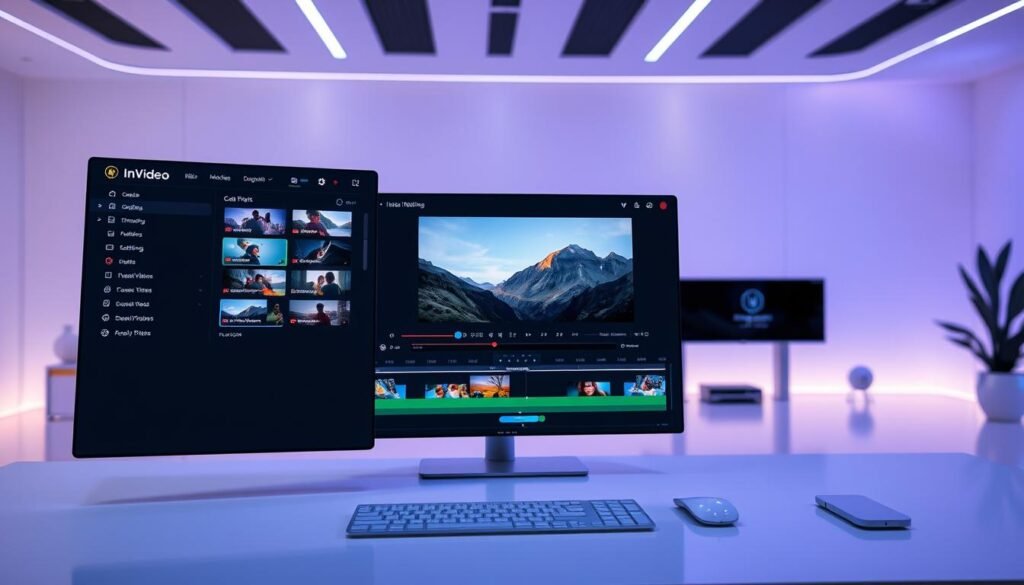
In conclusion, InVideo’s design, support, and mobile use make it great. It offers a smooth editing experience for all users.
Is InVideo Worth It? Our Verdict for Different Users
When it comes to video editing software, the big question is: is InVideo worth it? With AI playing a bigger role in making content, tools like InVideo are becoming more popular. We’ll look at whether InVideo is good for content creators, small businesses, and beginners.
For Content Creators and Social Media Managers
Content creators and social media managers will find InVideo useful. It has many templates and pre-made assets to make video making easier. Its AI helps make top-notch content fast. But, the free version has limits, and you need a paid plan for more.
InVideo‘s easy-to-use design and huge template library are great for making social media videos. You don’t need to be a pro at video editing to use it.
For Small Businesses and Marketers
Small businesses and marketers will like InVideo’s professional video templates and simple editing tools. It lets you brand your videos to keep your look consistent. Even though it costs more, the quality and look of your videos might be worth it.
For Beginners vs. Advanced Video Editors
Beginners will find InVideo easy to start with because it’s so simple. But, advanced video editors might find it lacking compared to Adobe Premiere Pro. Still, InVideo’s AI can help advanced users make specific content types fast.
In short, whether InVideo is worth it depends on what you need and how good you are at video editing. For many, especially content creators and small businesses, InVideo is a good mix of ease, features, and price.

If you enjoyed this InVideo review, don’t miss our Kittl Review 2025 — another powerful AI tool that’s making waves among digital creators this year.
Conclusion: Should You Use InVideo in 2025?
Looking at InVideo for 2025, our review shows it makes video making easy. It uses AI and is easy to use, making it a favorite for many.
But, is InVideo worth it? Our look at its good and bad points shows it’s strong in templates and editing. Yet, some might find its free plan and advanced features lacking.
With video content changing, thanks to AI like ChatGPT and new vodcasts, InVideo is ready to keep up. It’s great for making quality videos, even if you’re new to it.
In short, InVideo is a good pick for creators, social media folks, and small businesses in 2025. Its benefits make it a smart choice for improving your video game.
